A used car can look great in photos and still leave you guessing. Was it a base model? Did it come with factory options? Was the original price close to what the seller claims?
That’s where the window sticker helps.
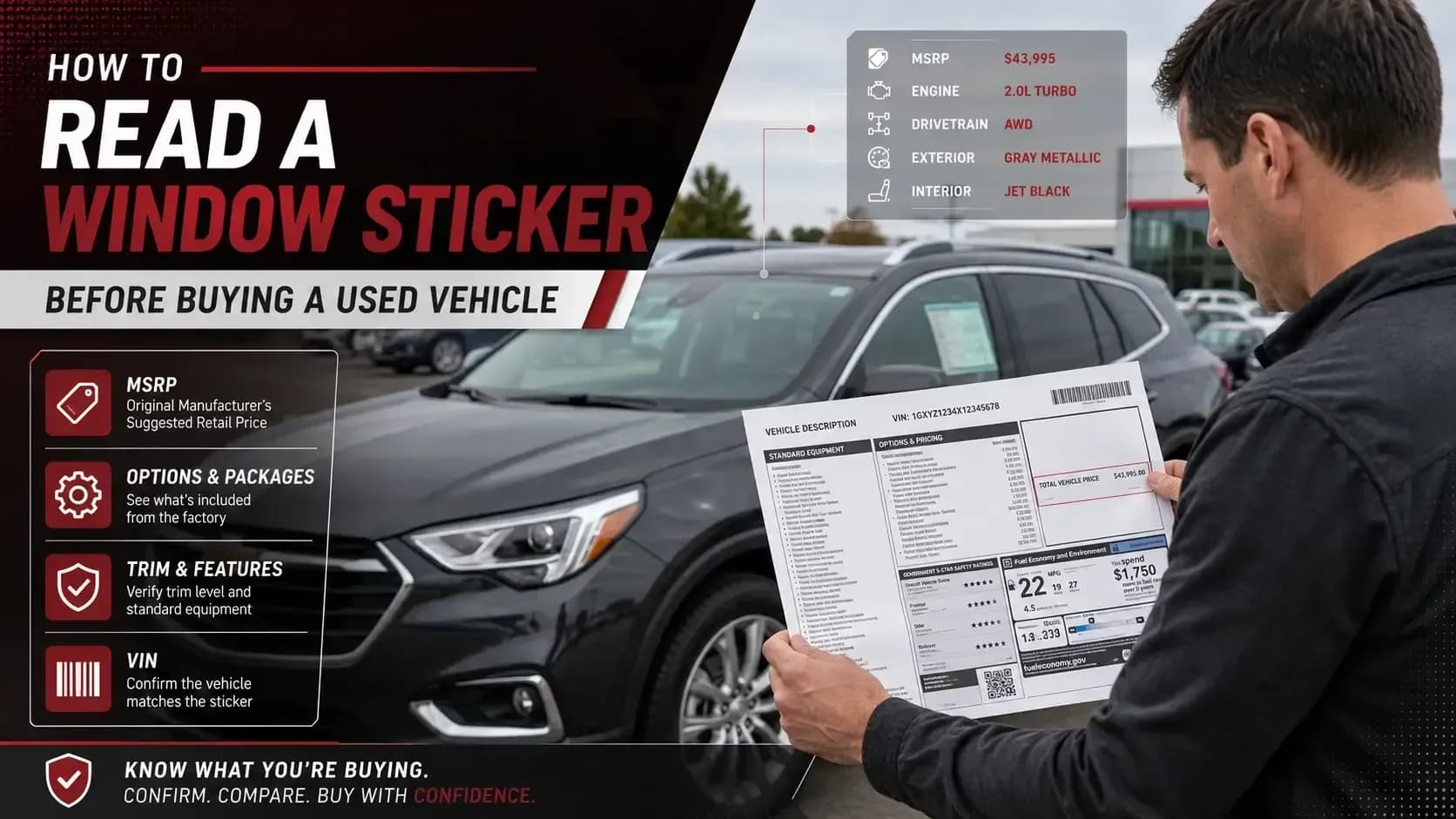
Learning how to read a window sticker gives you a clearer view of the vehicle’s original MSRP, factory equipment, options, packages, destination charge, fuel economy, and safety information. It is not a full history report, but it can tell you how the car was built when new.
Key takeaways:
- A window sticker shows original factory details, not the car’s current condition.
- MSRP, options, packages, and destination charges help explain the original price.
- Used car buyers should compare the sticker with the listing, VIN, condition, and records.
If you are checking a GM vehicle, you can start with a GM window sticker to review original factory details before you compare the asking price.
What Is a Monroney Sticker or Window Sticker?
A Monroney sticker or Window Sticker is the official window label placed on a new vehicle. People also call it a window sticker, original sticker, or factory sticker.
So, what is a Monroney sticker in plain language? It is the document that shows how the car was configured when it was new. It lists details like the vehicle’s make, model, trim, engine, standard features, optional equipment, MSRP, fuel economy, and safety information.
For a used car buyer, that old sticker can be surprisingly useful. It gives you something solid to compare against the seller’s description.
If a listing says “fully loaded,” the sticker can help you see what that really means. Sometimes it means a true higher trim with factory packages. Sometimes it means heated seats and wishful thinking.
Monroney Label Explained Without the Headache
Here is the Monroney label explained in a simple way: it is a snapshot of the vehicle when it was new.
Not today. Not after three owners. Not after aftermarket wheels, repairs, or missing parts.
When you read it, look for the original build details first.
Vehicle Information
This area usually shows the year, make, model, trim, VIN, body style, engine, transmission, and drivetrain. Start here because it confirms the car’s identity.
Standard Equipment
This section lists features included at no extra charge. It may include safety tech, seating materials, infotainment, wheels, lighting, and mechanical features.
Optional Equipment
This is where the price can move fast. Packages, paint, wheels, towing equipment, upgraded audio, luxury features, and performance parts may show up here.
MSRP and Total Price
The sticker shows the base MSRP, option prices, destination charge, and total MSRP. This helps you understand what the vehicle cost before discounts or negotiations.
Fuel Economy
For many vehicles, the label includes city, highway, and combined MPG or energy-use details. Not exciting, maybe, but useful when fuel costs are high.
Safety and Warranty Information
Some stickers include safety ratings or warranty coverage details. These can help, but remember they reflect the vehicle when new.
Why Read a Window Sticker on a Used Car?
A lot of buyers skip this step. They check mileage, photos, and maybe a vehicle history report. That’s good, but it is not the whole picture.
A window sticker tells you what the car was supposed to be.
✓ It Helps Confirm the Trim
The badge on the car may say one thing. The listing may say another. The sticker gives you factory context.
✓ It Shows Original Factory Options
Options matter. A towing package, upgraded wheels, premium sound, or driver-assist package can change value and buyer interest.
✓ It Explains the Original Price
Two used vehicles may have the same model name but very different original MSRPs. The sticker helps explain why.
✓ It Helps Spot Listing Errors
Sellers sometimes copy details from another listing. A window sticker makes those mistakes easier to catch.
✓ It Supports Better Negotiation
When you know what the vehicle came with, you can talk about price with more confidence and less guessing.
✓ It Helps Car Flippers Avoid Bad Comps
For flippers, comparing the wrong trim or option package can ruin the math. The sticker keeps the comparison cleaner.
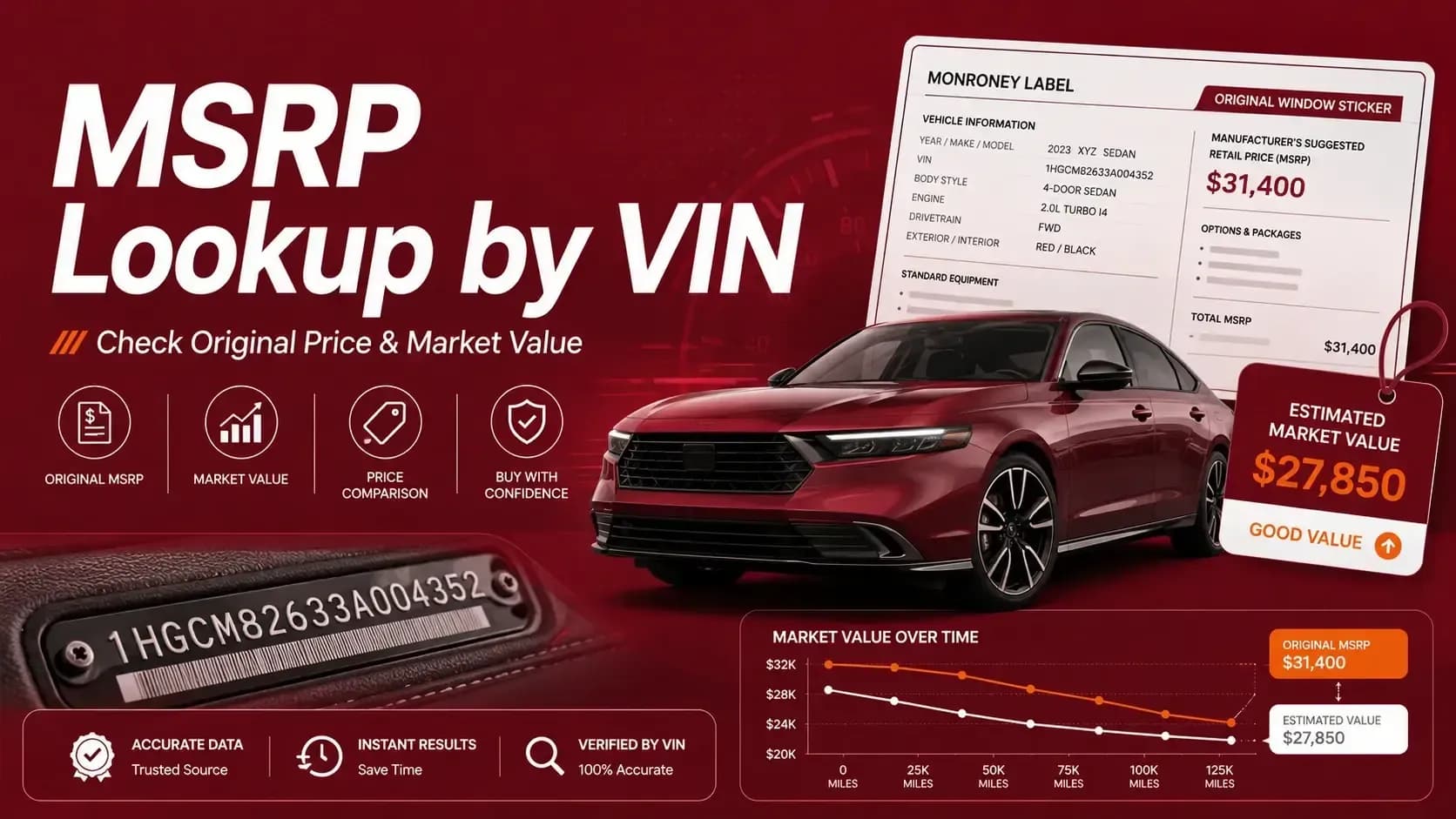
If the original price is part of your research, this guide on checking MSRP and market value by VIN connects window-sticker details to current pricing.
How to Read a Window Sticker on a Used Car
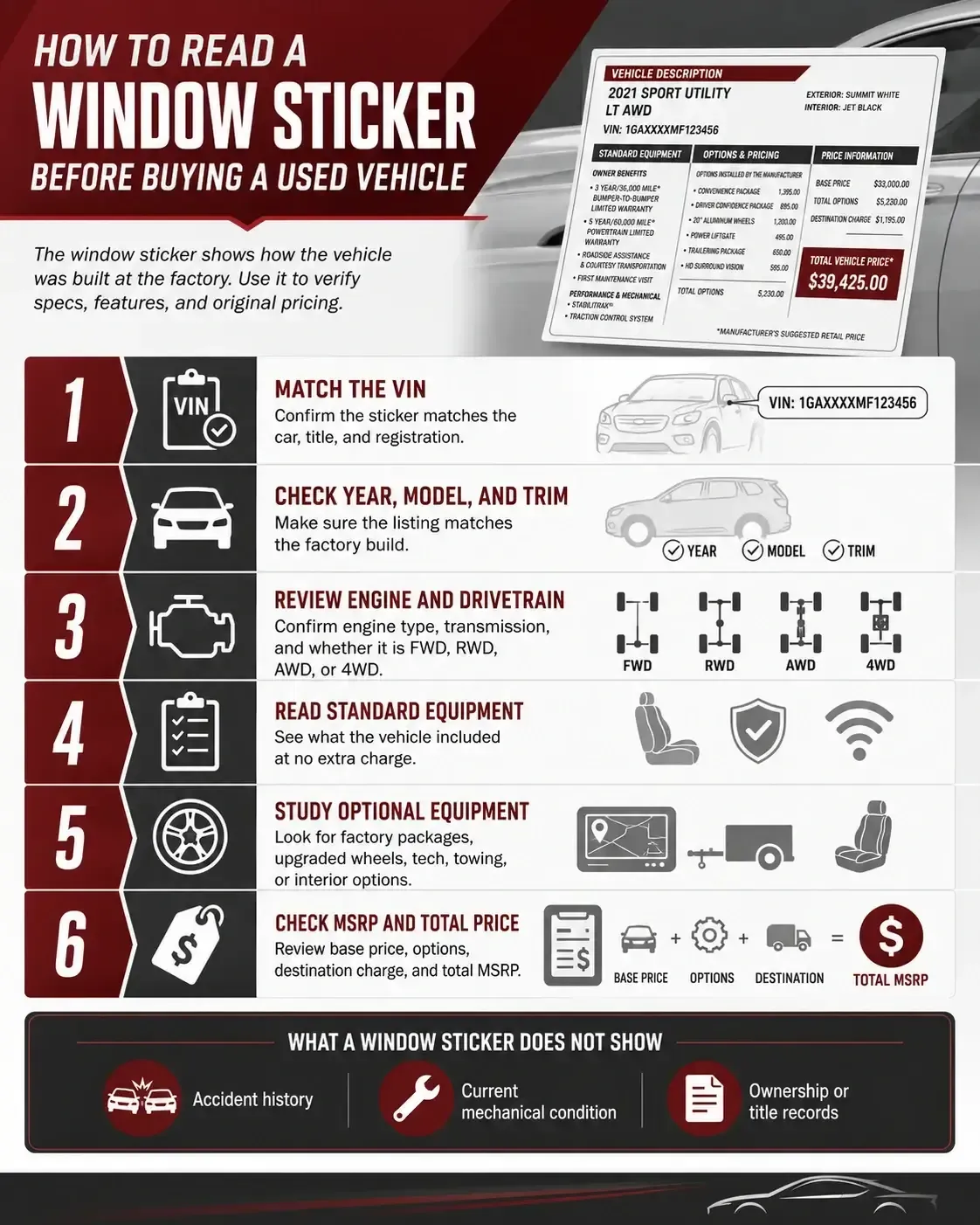
Now let’s get practical. How to read a window sticker on a used car comes down to reading the label in the right order.
Do not start with the biggest number. Start with the identity.
1
Match the VIN First
Check the VIN on the sticker against the VIN on the dashboard, door jamb, title, or registration. If the VIN does not match, stop and ask questions.
2
Confirm the Year, Model, and Trim
Make sure the sticker matches the vehicle being sold. Trim names can be confusing, especially on trucks, SUVs, and performance models.
3
Review Engine and Drivetrain
Look for engine type, transmission, and drivetrain. A 2WD truck and a 4WD truck may look close in photos, but they are not the same deal.
4
Read the Standard Equipment
This tells you what came with the vehicle before any paid options were added. It is helpful for comparing base features.
5
Study the Optional Equipment
This is where many buyers find the interesting stuff. Packages, wheels, tech, towing, appearance upgrades, and interior options can all appear here.
6
Check the Total MSRP
Look at the base price, options, destination charge, and total MSRP. This shows how the original price was built.
What Does a Monroney Label Tell You About a Used Car?
A common question is, what does a Monroney label tell you about a used car? Quite a bit but not everything.
Think of it like the car’s birth certificate. Useful, official, and full of original details. But it does not tell you how the car was treated later.
What the Vehicle Was When New?
The sticker can confirm the original trim, engine, drivetrain, factory color, and equipment.
What Was Included From the Factory?
It separates standard equipment from paid options, which helps you understand the build more clearly.
What the Original MSRP Was?
The sticker shows the suggested retail price when new, before dealer discounts or used-car depreciation.
What Packages Were Installed?
Factory packages can affect comfort, utility, performance, towing, and resale value.
What the Sticker Does Not Tell You?
It does not show accidents, title brands, ownership history, odometer issues, or current mechanical condition.
Why You Still Need a Real Inspection?
A window sticker can confirm the build. It cannot hear engine noise, feel a bad shift, or see hidden rust.
That last part matters. A great sticker does not save a bad car.
Original Factory Window Sticker vs Seller Description
The original factory window sticker is usually more reliable than a seller’s short description. Not because every seller is dishonest. Most are not. But listings are often rushed, copied, or filled with guesses.
A seller may call a vehicle “premium” because it feels premium. The sticker may show it is actually a mid-level trim with one nice package. That is not always a deal breaker, but it changes the conversation.
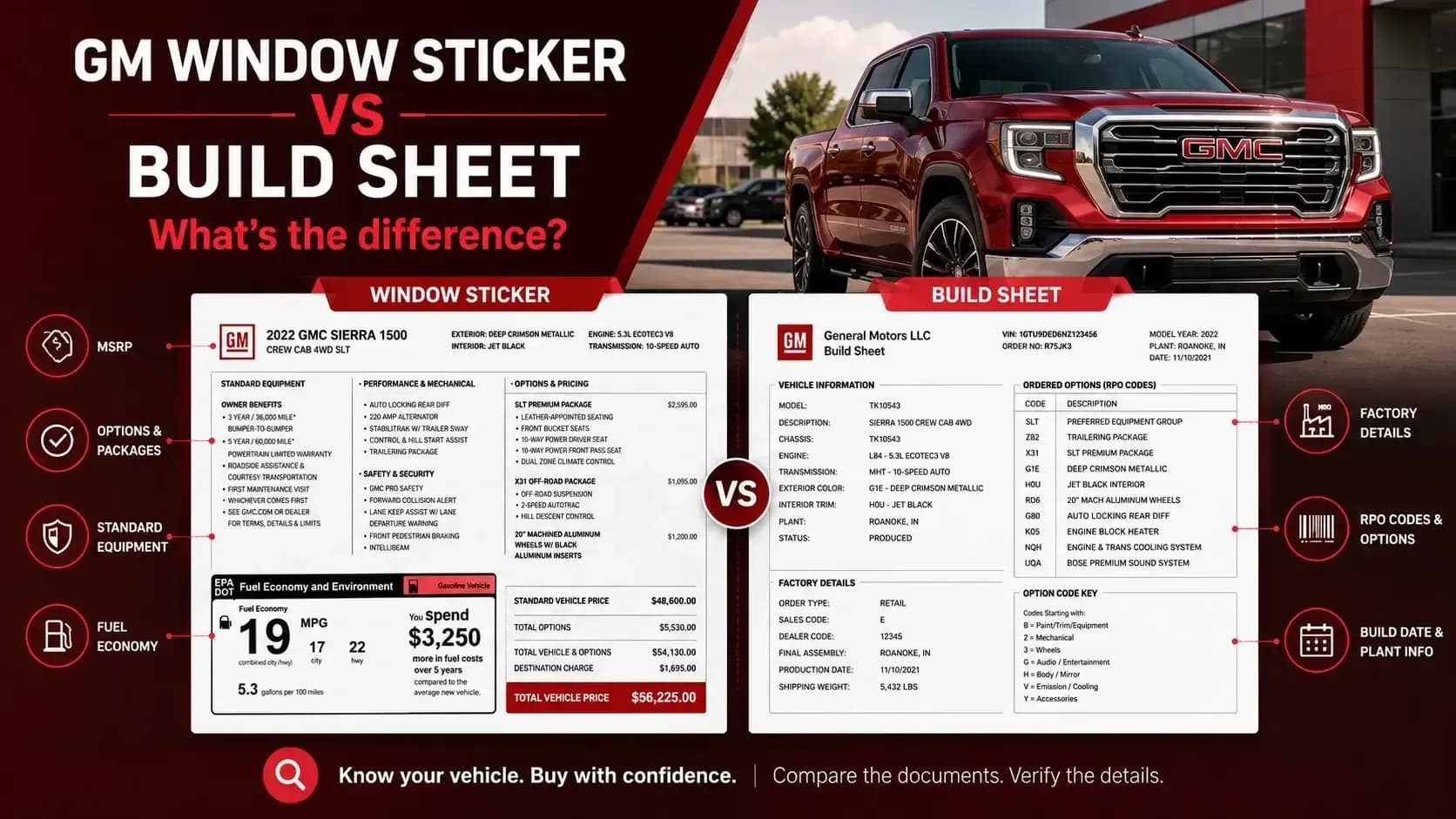
If you are comparing factory documents, this guide on window sticker vs build sheet can help you understand which document is better for pricing, options, and factory build details.
How to Get Original Window Sticker for Used Car
If you are wondering how to get original window sticker for used car, the VIN is the place to start.
1
Find the VIN
Use the dashboard, door jamb, title, registration, or insurance documents. Always double-check the characters.
2
Use a Window Sticker Lookup
Enter the VIN into a window sticker lookup tool that supports the vehicle brand or manufacturer data.
3
Check the Returned Details
Make sure the sticker matches the correct year, make, model, trim, and VIN.
4
Save a Copy
If you are buying, save the sticker for comparison. If you are selling, it can help support the listing.
5
Compare It With the Car
Look at wheels, interior, trim badges, equipment, and packages. The car should make sense next to the sticker.
6
Use It With Other Records
A sticker is not a history report. Pair it with service records, inspection notes, title status, and mileage history.
What to Watch for Before You Trust the Sticker
A window sticker is useful, but it should still be checked against the actual car. Used vehicles live whole lives after the factory.
⚠️ Aftermarket Changes
Wheels, tires, stereo systems, lights, suspension, and appearance parts may have changed after the vehicle was sold new.
⚠️ Missing Factory Equipment
A vehicle may have come with certain items, but those parts may be missing, damaged, removed, or replaced.
⚠️ Trim Confusion
Some trims look similar. Packages can make a lower trim feel like a higher one.
⚠️ Rebuilt or Modified Vehicles
A rebuilt vehicle may no longer match its original sticker perfectly, especially if parts were replaced.
⚠️ Condition Still Matters
The sticker can show what the car had. It cannot show whether those features still work.
⚠️ Price Needs More Than MSRP
Original MSRP is useful, but current value depends on mileage, condition, demand, history, and location.
Before You Use the Sticker to Negotiate
A window sticker can make negotiation less awkward because it gives both sides facts to discuss. Not feelings. Not guesses. Facts.
Start with the original MSRP. Then look at factory options. Then compare the sticker with the car’s current condition and today’s market.
If the seller priced the car like a top trim but the sticker shows a lower build, that matters. If the sticker shows expensive factory packages that the listing barely mentions, that matters too.
For GM vehicles, the GM options lookup can also help when you want to confirm factory packages, installed equipment, or option details before making your next move.
Frequently Asked Questions
What is a Monroney sticker?
A Monroney sticker is the official new-vehicle window label that lists the vehicle’s factory details, MSRP, standard equipment, optional features, fuel economy, and other required information.
How do I read a window sticker?
To understand how to read a window sticker, start with the VIN and vehicle details. Then review standard equipment, optional equipment, MSRP, destination charge, fuel economy, and safety information.
What does a Monroney label tell you about a used car?
It tells you how the vehicle was originally built and priced when new. It may show trim, engine, drivetrain, factory options, packages, original MSRP, and other key details.
Is a window sticker the same as a vehicle history report?
No. A window sticker shows original factory information. A vehicle history report focuses on records after the vehicle entered use, such as accidents, title brands, mileage readings, or ownership history.
Can I get the original window sticker for a used car?
Yes, in many cases. You can use the VIN to search for the original window sticker if the data is available for that vehicle.
Does a window sticker show all factory options?
Usually, it shows standard and optional equipment listed for that vehicle when new. Some details may vary by brand, model year, or available data.
Can a window sticker prove the current condition?
No. A window sticker can show the original build, but it cannot prove current mechanical condition, accident history, wear, or whether every feature still works.
Should I use a window sticker before buying a used car?
Yes. It helps you compare the seller’s claims with the original factory details, especially trim, options, packages, MSRP, and equipment.