
Verify Your GM’s Original Factory Build by VIN
Enter your VIN to check available factory configuration details for a Chevrolet, GMC, Cadillac, Buick, Pontiac, Oldsmobile, Saturn, or other GM vehicle. A GM build sheet by VIN may reveal the original engine, transmission, drivetrain, paint, interior trim, factory packages, and production information.
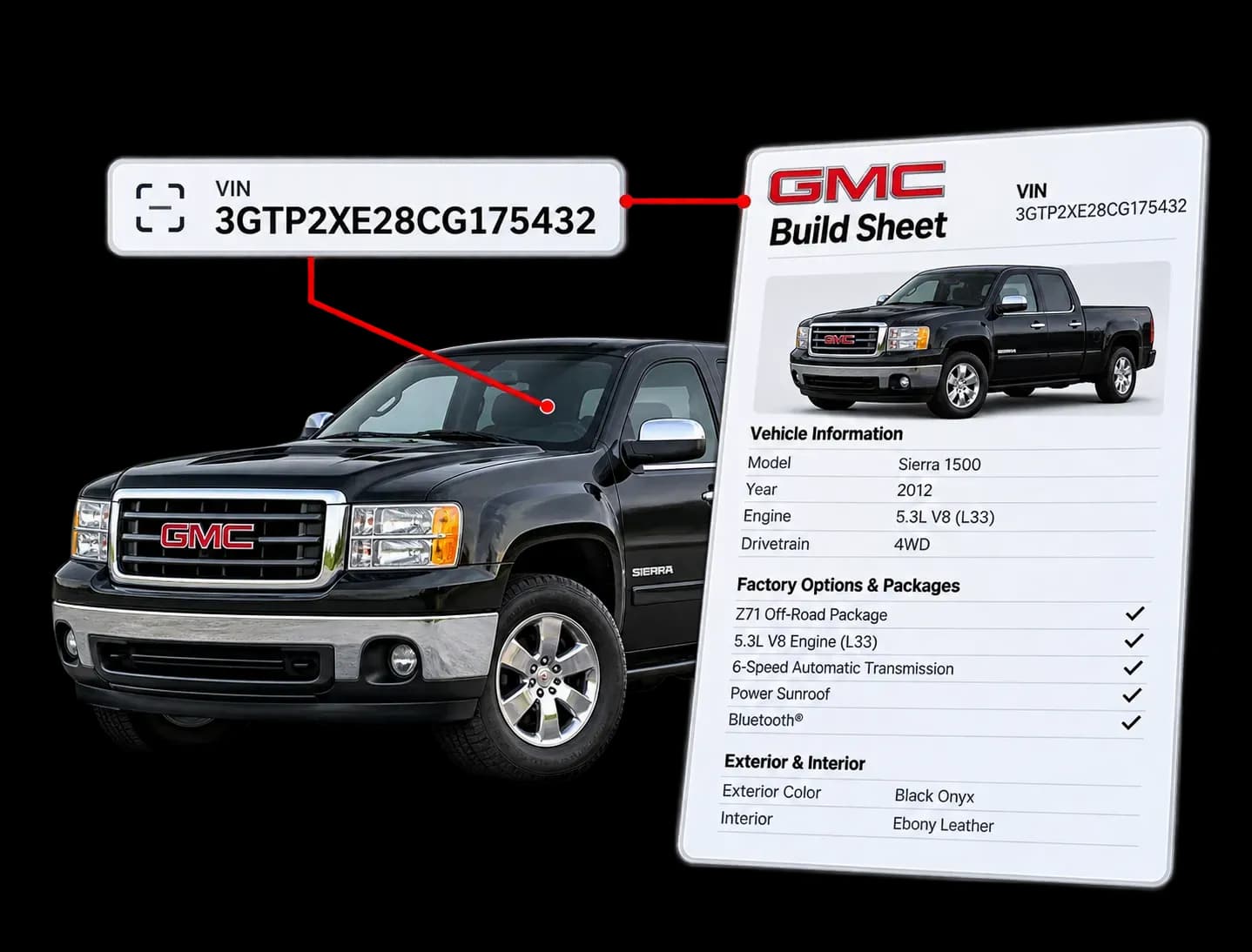
What Is a GM Build Sheet?
A GM build sheet is a vehicle-specific record of how a car, truck, or SUV was originally configured at the factory. Depending on the available records, it may identify the engine, transmission, axle, drivetrain, paint, interior, RPO codes, packages, assembly plant, and other production details.
Unlike a basic VIN decode, a GM build sheet lookup is intended to provide deeper factory configuration information. The exact format and number of fields can vary between modern and classic vehicles.
Discover What Your GM Build Sheet Reveals
A GM build sheet lookup gives you a detailed breakdown of your vehicle's original configuration and specifications. Here is what you can expect to find.
Engine Type and Size
See the exact engine that came installed from the factory, including displacement and cylinder count.
Transmission Details
Find out if your GM originally had a manual or automatic transmission, and which model it was.
Factory Paint Code
Confirm the original exterior color using GM's official paint code, even if the car has been repainted since.
Interior Trim and Upholstery
Check the original seat material, interior color, and trim package.
Installed Options and Packages
View every factory-installed option, from power windows to special performance packages.
Axle Ratio
See the rear axle ratio your GM shipped with, which matters a lot for trucks and performance cars.
Production Plant and Build Date
Learn where your vehicle was assembled and the exact date it rolled off the line.
Order and Dealer Information
In many cases, you can also see which dealership originally ordered or sold the vehicle.
The GM Build Sheet: A Tool for Confidence and Transparency
A GM build sheet by VIN is not just for collectors. It is useful for almost anyone dealing with a GM vehicle.
Buyers
Confirm Factory options
Buying a pre-owned car can be risky. Running a GM VIN build sheet check ensures you get what you pay for. You can verify high-value factory options before closing a deal.
Avoid Overpaying for Fake Rarity
Clones and fake trim badges are common in the classic car market. Some sellers list a vehicle as a rare factory package when it is not. A build sheet protects you from paying extra for something that was never there.
Sellers and Dealers
Higher Resale Value and Buyer Trust
Showing a verified GM build sheet by VIN builds instant credibility with prospective buyers. It proves your asking price is fair and justified.
Faster Sales
Vehicles backed by complete documentation sell significantly faster. Buyers feel confident making quick decisions when every option code is fully documented.
Mechanics and Restorers
Order the Right Replacement Parts
Ordering parts without knowing factory codes leads to wrong orders and wasted time. A GM RPO code decoder report confirms exact part numbers for seamless repairs.
Authentic Factory Restorations
Classic build sheets reveal original paint codes, interior colors, and drivetrain details. Restoration shops use build sheets to bring classic GM vehicles back to factory condition.
How to Get Your GM Build Sheet by VIN?
Looking up a GM build sheet is really easy; just follow these simple steps:
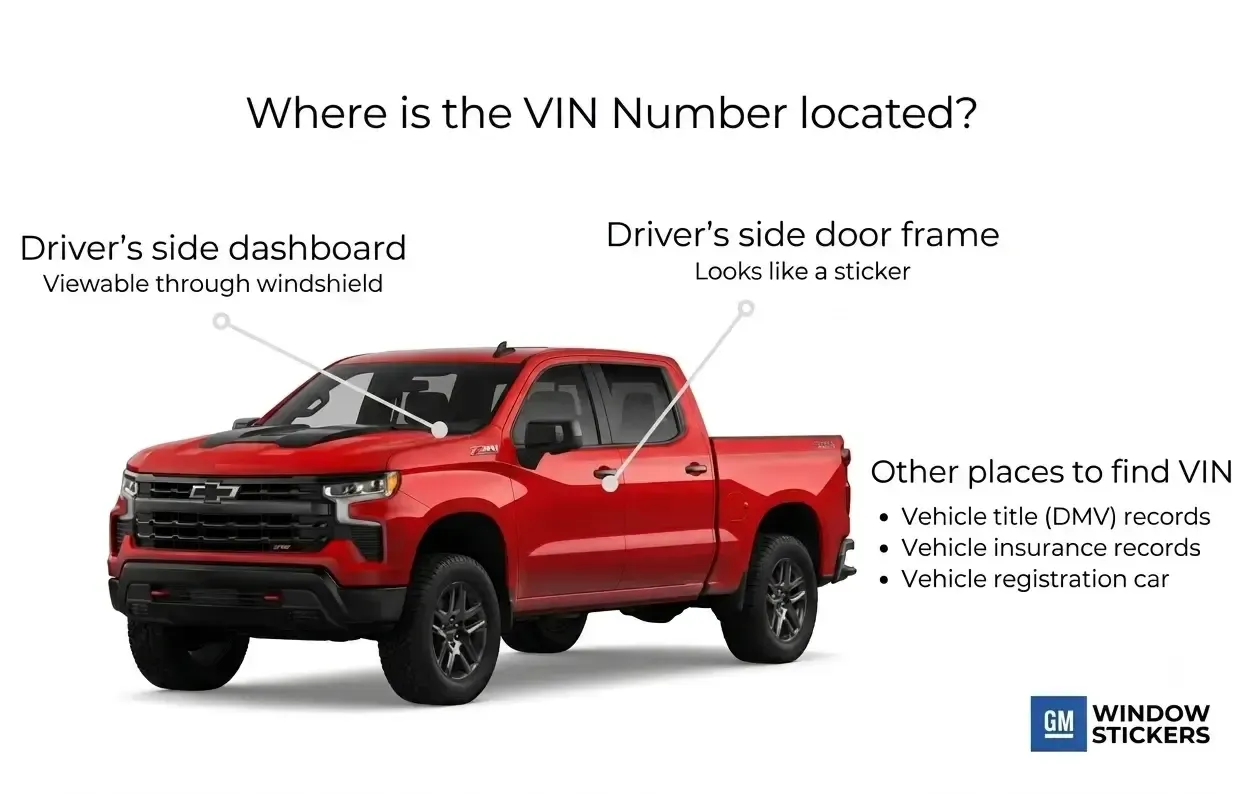
Find Your VIN
You can find your VIN on the dashboard, the driver’s side door frame, or on your vehicle registration and insurance card.
Submit Your Request
Type your VIN into the form. Check the numbers and letters carefully to make sure they are correct.
Get Your Build Sheet
Select your preferred package, complete the payment, and your original GM build sheet will be ready to view and download instantly.
GM Build Sheet VS Window Sticker
Many people mix these two up, but they are not the same thing.
A GM build sheet is a detailed technical document. It uses factory codes and was created for assembly line workers. Today, it serves mechanics, restorers, and serious enthusiasts who want to verify every detail.
A GM window sticker is a consumer-facing document designed for dealership display. It shows original MSRP, fuel economy, standard equipment, and factory options in an easy-to-read format.
If you want deep technical detail, choose the build sheet. If you want a quick, easy overview, the window sticker is a better fit.
| Comparison Feature | GM Build Sheet | GM Window Sticker |
|---|---|---|
| Primary Purpose | Assembly line instructions for factory workers | Consumer-facing price and feature overview |
| Document Focus | Deep technical specs, RPO codes, and part numbers | Pricing breakdown, standard features, and option packages |
| Pricing Information | No MSRP or package pricing included | Yes, shows base price, options cost, and total MSRP |
| Fuel & Safety Data | No fuel economy or crash test ratings | Yes, displays EPA MPG estimates and NHTSA safety ratings |
| Vehicle Eligibility | Fits both modern 17-digit VINs and classic pre-1981 cars | Primarily available for modern 17-digit VIN vehicles |
| Best Used For | Restorations, mechanic work, and verifying rare options | Used car shopping, valuation, and resale documentation |
← Scroll horizontally to see more →
Support for Classic GM VINs
Many VIN tools accept only the modern 17-character format. GM vehicles built before the 1981 model year may use shorter manufacturer-specific VINs. Our lookup can work with many classic GM VIN formats, including eligible vehicles from Chevrolet, GMC, Buick, Cadillac, Pontiac, and Oldsmobile.
Enter the VIN exactly as it appears on the vehicle or title. Do not add zeros, letters, or spaces to make it 17 characters.
Unlock More Details Beyond the GM Build Sheet
While a GM build sheet provides detailed factory specifications, pairing it with other vehicle records gives you complete peace of mind. If you’re looking for the original pricing breakdown, fuel efficiency, and safety ratings, you’ll find them on a factory GM window sticker.
To protect yourself from costly hidden issues, it’s also smart to pull a complete vehicle history report. This report covers past ownership, service records, open safety recalls, title history (e.g., salvage or rebuild), odometer readings, and any theft or accident records. Having both documents ensures you know not only how the vehicle was built, but also how it’s been treated over time.
Get Build Sheets for ALL GM Models
Our GM build sheet by VIN lookup works across all General Motors brands, covering both modern models and vintage classics.
Modern GM Models
Classic GM Models
Frequently Asked Questions about GM Build Sheets
Can I get a free GM build sheet by VIN?
The GM Heritage Archive provides free downloadable Vehicle Information Kits. These kits are not VIN‑specific. They include general factory specifications, option lists, and product brochures for the model year, but not the exact build sheet for your car.
You can visit a local dealership’s parts department with your proof of ownership and VIN. In some cases, the staff can access your vehicle’s factory configuration and print the full specifications, depending on the availability of records. If the dealership cannot retrieve your build sheet, you can use the GMWindowStickers.com lookup tool. Full historical build records may be available there for a small fee.
Can I get a build sheet for an old or classic GM car?
For vehicles built before 1981, the GMWindowStickers.com classic build sheet lookup tool can provide the original factory build sheet. Finding data for vintage cars can be difficult because many old factory records were never digitized. In those cases, historical production documents are sourced directly from the original archives.
What is the difference between a GM window sticker and a build sheet?
A GM window sticker is a consumer document. It shows the original MSRP, the price of each option, standard equipment, and fuel economy details for buyers. A GM build sheet is a technical factory document created for assembly line workers. It uses internal production codes and raw component numbers to outline how the car was built.
Window stickers use plain sales language, while build sheets provide a deeper mechanical breakdown. Both prove the original factory options, but the build sheet gives much more detail about the car’s exact configuration.
What is an RPO code on a GM build sheet?
An RPO code, short for Regular Production Option, is a short code GM uses to mark one factory feature. Every paint color, engine, axle ratio, and package has its own RPO code. A GM RPO code list helps you match each code to its true meaning. These codes are the heart of any build sheet and are also printed on the SPID label inside your car.
How do I read and decode GM RPO codes on a build sheet?
GM RPO codes are three-character alphanumeric combinations that represent individual factory-installed options. Every code corresponds to a specific engine, transmission, interior trim color, or suspension setup. To decode them, match each three-digit code from your build sheet against a GM RPO code database. For example, code Z71 indicates an off road chassis package, while code LS3 denotes ENGINE,1.0L(1.0-2),L3(TURBO).